|
Published:
October 10, 2025

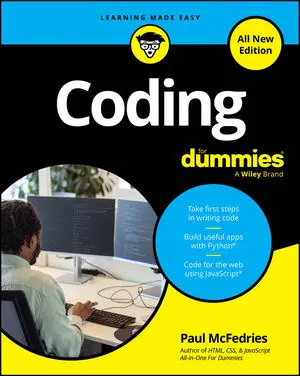
Coding For Dummies, All New Edition

Overview

Your first step toward thinking like a coder

Coding For Dummies is one of the most popular get-started guides for new coders. This all- new edition demystifies essential coding concepts before diving into building simple apps in Python and JavaScript. For anyone brand-new to writing code, this book is an ideal first step, because you'll get an overview of how coding works, the essential tools of coding, and how to apply coding in different ways. Plus, you'll get insight into how new tools like AI can quickly boost your coding know-how. Enter the world of code with this easy-to-follow Dummies guide!

  • Learn the basics of coding, including key concepts you'll need in every coding language
  • Get a rundown of the most popular language, and start coding in JavaScript and Python
  • Follow step-by-step instructions to build your first apps
  • Discover how AI can help you become a better, faster coder

Looking for a foundation in the basics of coding, plus simple tasks to help you get started? Coding For Dummies is the book for you.

Read More

About The Author

Paul McFedries is an experienced programmer, tech expert, educator, and author. He’s spent a lifetime teaching complex technology topics to everyday people by focusing on straightforward, simple solutions and techniques. He’s the author of HTML, CSS, & JavaScript All-in-One For Dummies and Web Coding & Development All-in-One For Dummies.

Sample Chapters

coding for dummies all new edition

CHEAT SHEET

Coding is equal parts vocabulary, logic, and syntax. Coding may at first seem intimidating, but with practice, though, it’s easy to get comfortable with its terminology, concepts, and structure. Understanding coding is not unlike learning a new language: Use it often enough and you’ll find yourself able to speak, think, and write in code.

HAVE THIS BOOK?

Articles from
the book

The technology world is constantly evolving. New technologies are invented, developers build new products using these technologies, and new markets emerge from people using these products. The following resources help you continue learning, answer questions, and stay abreast of these changes. The resources listed below are all completely free.
Learning to code is more popular today than ever before. It seems like everyone has a website or an app idea, and as soon as your friends, family, or coworkers discover your new coding abilities, many will ask for advice and help. No matter whether you’re dabbling at it after work, or attending an intensive ten-week coding boot camp, learning to code can be a challenging journey.
As you start developing and coding your own web pages, you will perform some tasks repeatedly. The following resources will help make your life a little easier. Some resources are software to download and install, whereas others are extensions you can add to your browser: Instant Eyedropper: Find the color in a wireframe, or match the color in a logo with this color picker tool, which lets you find the color of anything displayed on your screen.
Although any website can be viewed with a mobile browser, those websites not optimized for mobile devices look a little weird, as if the regular website font size and image dimensions were decreased to fit on a mobile screen. By contrast, websites optimized for mobile devices have fonts that are readable, images that scale to the mobile device screen, and a vertical layout suitable for a mobile phone.
Native mobile apps can be faster, more reliable, and look more polished than mobile web apps. Built using Java for use on Android devices, and Objective-C or Swift for use on Apple devices (iOS), native mobile apps must be uploaded to an app store, which may require approvals. The main benefit of an app store is its centralized distribution, and the app may be featured in parts of the app store that can drive downloads.
Coding is equal parts vocabulary, logic, and syntax. Coding may at first seem intimidating, but with practice, though, it’s easy to get comfortable with its terminology, concepts, and structure. Understanding coding is not unlike learning a new language: Use it often enough and you’ll find yourself able to speak, think, and write in code.
Mobile applications are hot topics today, in part because mobile apps such as WhatsApp and Instagram were acquired for billions of dollars, and mobile app companies like Rovio, makers of Angry Birds, and King Digital, makers of Candy Crush, generate annual revenues of hundreds of millions to billions of dollars.
HTML, CSS, and JavaScript are the most common front-end coding languages. The following table lists some online resources, references, and tutorials to help you continue practicing all three languages. W3Schools: Reference guides for HTML, CSS, and JavaScript HTML cheat sheet: Most commonly used HTML comma
Coding has an extensive vocabulary that to laymen can seem like impenetrable techno-babble. Whether you’re reading coding-related article online or speaking to a developer at work, you may hear words that you have not heard before or that have a different meaning in a coding context. Here are some common vocabulary words to know: General web development terms: Server: A computer that hosts website code, and that “serves” website code when requested by a “client” computer.
Web applications are easier to build than mobile applications, require little to no additional software to develop and test, and run on all devices, including desktop, laptops, and mobile. Although mobile applications can perform many common web-application tasks, such as email, some tasks are still easier to perform using web applications.
Coding can be useful in the workplace as well. Outside the technology sector, coding in the workplace is common for some professions like financial traders, economists, and scientists. However, for most professionals outside the technology sector, coding is just beginning to penetrate the workplace, and gradually starting to increase in relevance.
You have heard of coding languages like Python and Ruby, and you may wonder what the difference is between the two. At a high level, anything you can do with one language you can do with another language. It is like the difference between using a Toyota Prius or a Honda Accord to drive from New York to Boston — both cars will get you from point A to point B but some of the controls will be in different places.
Code not working? Here are some common mistakes that can trip up even the most experienced coder. If your code won’t run, try running down this checklist to see if you have any of these errors: Not having a closing HTML tag after every opening HTML tag . Missing brackets or > in HTML. Missing curly braces, colons, or semicolons in CSS, as in the following: h1 { color: blue; } Missing curly braces in JavaScript, especially for if statements.
Computer code is not a cryptic activity reserved for geniuses and oracles. In fact, in a few minutes you will be writing some computer code yourself! Most computer code performs a range of tasks from the mundane to the extraordinary. Code runs traffic lights and pedestrian signals, elevators, cell phone towers, and space ships headed for outer space.
Attributes provide additional ways to modify the behavior of an element or specify additional information. Usually, but not always, you set an attribute equal to a value enclosed in quotes. Here’s an example using the title attribute and the hidden attribute: <h1 title="United States of America">USA</h1> <h1 hidden>New York City</h1> The title attribute provides advisory information about the element that appears when the mouse cursor hovers over the affected text (in other words, a tooltip).
Here, you modify the Cascading Style Sheets (CSS) on huffingtonpost.com (or your news website of choice) using the Chrome browser. Take a look at how CSS works in the wild. Just follow these steps: Using a Chrome browser, navigate to your favorite news website, ideally one with many headlines. Place your mouse pointer over a headline, right-click, and from the menu that appears select Inspect Element.
You have coded your web application and want to share it with others. After all that work, who wouldn’t? Complete these tasks and anyone with a web browser can access your website. Credit: Flickr Creative Commons, courtesy of Tristan Searching for a domain name A domain name is a keyword with a suffix like .com, .
After you type a URL, such as huffingtonpost.com, into your browser, the following steps happen behind the scenes in the seconds before your page loads: Your computer sends your request for the web page to a router. The router distributes Internet access throughout your home or workplace. The router passes your request onto your Internet service provider (ISP).
HTML has basic capabilities to style content. Here, you learn how to do some basic text formatting in HTML, such as adding text characteristics like boldface and how to add super- and subscript. Highlighting with bold, italics, underline, and strikethrough HTML allows for basic text styling using the following elements: strong marks important text, which the browser displays as bold.
The biggest challenge with dividing an app into steps is knowing how big or small to make each step. The first step is to find the app's functionality. The key is to make sure each step is discrete and independent. To test whether you have the right number of steps, ask yourself if someone else could solve and complete the step with minimal guidance.
What’s your favorite news website? By following a few steps, you can see and even modify the code used to create that website. (No need to worry, you won’t be breaking any rules by following these instructions.) Although you can use almost any modern browser to inspect a website’s code, these instructions assume you’re using the Google Chrome browser.
Twitter Bootstrap is a free toolkit that allows users to create web pages quickly and with great consistency. Install and add Bootstrap to your HTML file by following these two steps: Include this line of code between your opening and closing tag: <link rel="stylesheet" href="http://maxcdn.bootstrapcdn.com/bootstrap/3.
HTML uses special text keywords called elements to structure and style a website. The browser recognizes an element and applies its effect if the following three conditions exist: The element is a letter, word, or phrase with special meaning. For example, h1 is an element recognized by the browser to apply a header effect, with bold text and an enlarged font size.
Websites have used lists for decades to convey related or hierarchical information. In the following figure, you can see an older version of Yahoo.com that uses bulleted lists to display various categories and today’s Allrecipes.com recipe page, which uses lists to display various ingredients. Lists begin with a symbol, an indentation, and then the list item.
Readability is the most important principle for organizing and displaying content on your web page. Your web page should allow visitors to easily read, understand, and act on your content. The desired action you have in mind for your visitors may be to click on and read additional content, share the content with others, or perhaps make a purchase.
Now you’re ready to actually start coding. You can develop websites either offline, by working with an editor, or online, with a web service such as Codecademy.com. Especially if you have never done any coding before, you should code with access to an Internet connection using the Codecademy.com platform because you do not have to download and install any software to start coding, you do not have to find a web host to serve your web pages, and you do not need to upload your web page to a web host.
Once you learn HTML coding basics, you will quickly want to start building webpages. The most common need when putting together a webpage, whether for personal or professional use, is finding and using relevant images. However, just because you find an image on the Internet doesn’t mean you’re free to use it as you wish.
Variables in Ruby are named using alphanumeric characters and the underscore (_) character, and cannot begin with a number or capital letter. Variables, like in algebra, are keywords used to store data values for later use. Though the data stored in a variable may change, the variable name will always be the same.
HTML files are structured in a specific way so browsers can correctly interpret the file’s information. Every HTML file has the same five elements: four whose opening and closing tags appear once and only once, and one that appears once and doesn’t need a closing tag. These are as follows: !DOCTYPE html must appear first in your HTML file, and it appears only once.
Every programming language has its own conventions, like curly braces in JavaScript or opening and closing tags in HTML. Python generally uses less punctuation than other programming languages you may have previously tried. Some sample code is included here: first_name=raw_input("What's your first name?") first_name=first_name.
Here, you can take a look at a web application built with code. Yelp.com is a website that allows you to search and find crowd-sourced reviews for local businesses like restaurants, nightlife, and shopping. As shown, Yelp did not always look as polished as it does today, but its purpose has stayed relatively constant over the years.
The code for websites, and for programs in general, can be divided into four categories, according to the code’s function. See also the figure following this list: Appearance: Appearance is the visible part of the website, including content layout and any applied styling, such font size, font typeface, and image size.
Ruby has a few design principles to make programming in the language less stressful and more fun for programmers of other programming languages. These design principles are: Principle of conciseness: In general, short and concise code is needed to create programs. The initial set of steps to run a program written in English is often referred to as pseudo-code.
Code comes in different flavors called programming languages. Some popular programing languages are shown in the following figure. You can think of programming languages just like spoken languages, as they both share many of the same characteristics, such as: Functionality across languages: Programming languages can all create the same functionality similar to how spoken languages can all express the same objects, phrases, and emotions.
Python has its own set of design principles that guide how the rest of the language is structured. There are nineteen design principles that describe how the Python language is organized. Some of the most important principles include Readability counts: This is possibly Python’s most important design principle.
Forms allow you to capture input from your website visitors. Capturing input from visitors allows you to modify existing content on the page. For example, price and date filters on airline websites allow for finding a desired flight more quickly. You also can store the input for later use. For example, a website may use a registration form to collect your email, username, and password information to allow you to access it at a later date.
Web applications are websites you visit using a web browser on any device. Websites optimized for use on a mobile device, like a phone or tablet, are called mobile web applications. By contrast, native mobile applications cannot be viewed using a web browser. Instead, native mobile applications are downloaded from an app store like the Apple App Store or Google Play, and designed to run on a specific device such as an iPhone or an Android tablet.
Cascading Style Sheets (CSS) styles HTML elements with greater control than just using HTML. On the left of the image, Facebook appears as it currently exists; on the right, however, the same Facebook page is shown without all the CSS styling. Without the CSS, all the images and text appear left-justified, borders and shading disappear, and text has minimal formatting.
HTML instructs the browser on how to display text and images in a web page. Recall the last time you created a document with a word processor. Whether you use Microsoft Word or Wordpad, Apple Pages, or another application, your word processor has a main window in which you type text, and a menu or toolbar with multiple options to structure and style that text.
Python is a general-purpose programming language typically used for web development. This may sound similar to Ruby, and really both languages are more similar than they are different. Python, like Ruby, allows for storing data after the user has navigated away from the page or closed the browser, unlike HTML, CSS, and JavaScript.
Ruby is a general purpose programming language typically used for web development. Ruby makes it easy to store data after the user has navigated away from the page or closed the browser, and create, update, store, and retrieve that data in a database. For example, imagine you wanted to create a social networking website like Twitter.
Imagine you are the online layout developer for The Washington Post, responsible for coding the front page of the print newspaper into a digital website version. The newspaper consistently uses the same font size and typeface for the main headline, captions, and bylines. Similarly, there are a set number of layouts to choose from, usually with the main headline at the top of the page accompanied by a photo.
When writing code it isn’t always obvious how the end product was created. However, all programs, even mysterious ones, are created using a process. Two of the most popular processes used today are Waterfall: A set of sequential steps followed to create a program. Agile: A set of iterative steps followed to create a program.
https://cdn.prod.website-files.com/6630d85d73068bc09c7c436c/69195ee32d5c606051d9f433_4.%20All%20For%20You.mp3

Frequently Asked Questions

No items found.


