|
Published:
April 14, 2026

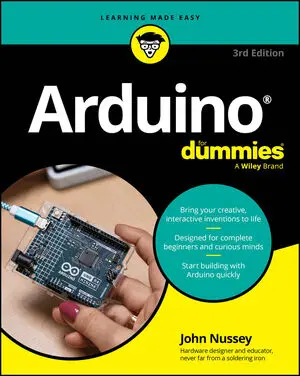
Arduino For Dummies

Overview

Unlock Your Creativity: Master Arduino with Easy-to-Follow Projects and Hands-On Learning.

Arduino is an open-source electronics platform used for building interactive projects like home automation tools or robotics. Arduino For Dummies is the perfect guide for beginners, updated with the newest features and technologies. You'll learn how to put your creative ideas into action using the latest Arduino tools—and you'll learn how to choose the projects, Arduino circuit boards, and coding environments that are right for you. For playing around at home or for remotely collaborating on Arduino projects, this book has the how-tos you need. With many examples and step-by-step instructions, you'll get both inspiration and know-how, so you can tap into the huge potential of Arduino. This beginner-friendly Dummies guide takes you from the basics to advanced projects and prototyping—in language anyone can understand.

  • Discover the basics of building electronics with Arduino
  • Find the parts you need for your projects
  • Walk through advanced examples with AI integration
  • Get inspiration for fun projects, to work on alone or with others

Arduino For Dummies is the perfect beginner book for anyone interested in learning more about making interactive products with this technology, and it's also great for experienced users looking for updates and new ideas.

Read More

About The Author

John Nussey is co-founder of ONN Studio, a multidisciplinary design studio creating connected and interactive products. His work bridges design and technology, turning new ideas into practical, engaging experiences. An early adopter of the Arduino platform, John has spent two decades teaching people of all ages how to bring electronics to life.

Sample Chapters

arduino for dummies

CHEAT SHEET

HAVE THIS BOOK?

Articles from
the book

If this is your first step into the world of Arduino, you will be relieved to know that you have an abundance of resources available on the Internet. You can find new Arduino-compatible hardware, projects, tutorials, and even inspiration. Check out these ten resources to learn more about Arduino Arduino blog The Arduino blog is a great source of all Arduino-related news.
Shields are pieces of hardware that sit on top of your Arduino, often to give it a specific purpose. For example, you can use a shield to make it easier to connect and control motors or even to turn your Arduino into something as complex as a mobile phone. A shield may start out as an interesting bit of hardware that an enthusiast has been experimenting with and wants to share with the community.
You can us the standard USB Arduino board, but you should be aware that many others exist, all designed with different needs in mind. Some Arduino boards offer more functionality, and others are designed to be more minimal, but generally they follow a design similar to that of the Arduino Uno. The Arduino Uno is a great board, but here are some other options if you feel like venturing out.
Basic Arduino sketches can get you quite a long way, but when you become more advanced you need to know about libraries. Libraries provide extra functionality to your Arduino sketch, either to use specific hardware or to incorporate more complex functions in software. In the same way that you’d go to a physical library to learn something new, you include libraries in your code to teach your Arduino something new.
When you start to build your Arduino project, it’s hard to know what tools and equipment to buy. Following is the recommended equipment for solder-less prototyping, which is a good way to start. Next is a list of equipment for soldering, which help you to toughen up your prototype for the real world. Note: Consider buying tools as you need them.
No one definitive Arduino board exists; many types of Arduino boards are available, each with its own design to suit various applications. Deciding what board to use can be a daunting prospect because the number of Arduino boards is increasing, each with new and exciting prospects. However, one board can be considered the archetype of the Arduino hardware, the one that almost all people start with and that is suitable for most applications.
If you plan to have any fun with your Arduino, you’ll need to do some soldering. Soldering requires learning a great amount of technique, and you develop good technique with practice. In this example, you find out how to assemble an Arduino shield. A shield is a specific printed circuit board (PCB) that sits on top of the Arduino to give it a function.
After you have built your Arduino project, you may have many hours ahead of tweaking the code until it’s perfect. It’s handy to know a few shortcuts to speed up the process. Here are the some of the most useful: Windows/Linux Mac OS Action Ctrl+N Cmd+N Open new sketch. Ctrl+O Cmd+O Open existing sketch. Ctrl+S Cmd+S Save sketch.
When building your Arduino projects, you use resistors to limit the amount of current going to certain components in the circuit, such as LEDs and integrated circuits. To calculate the resistance, you should use a modified version of Ohm’s Law.In the following equation, R is resistance; VSUPPLY is the voltage supplied from the power source (this is 5V for a standard Arduino digital pin, but could be more or less if the VIN pin is used); VFORWARD is the voltage required by the component, and I is the current required by the component:R = (VSUPPLY - VFORWARD) / IHere is an example for powering an LED:(5V – 2V) / 0.
You can make use of capacitive sensors in your Arduino project. Capacitive sensors detect changes in electromagnetic fields. Every living thing — even you — has an electromagnetic field. Capacitive sensors are extremely useful because they can detect human contact and ignore other environmental factors. You're probably familiar with high-end capacitive sensors because they are present in nearly all smartphones, but they have been around since the late 1920s.
Arduino is made up of both hardware and software. The Arduino board is a printed circuit board (PCB) designed to use a microcontroller chip as well as other input and outputs. The board has many other electronic components that are needed for the microcontroller to function or to extend its capabilities.A microcontroller is a small computer contained in a single, integrated circuit or computer chip.
https://cdn.prod.website-files.com/6630d85d73068bc09c7c436c/69195ee32d5c606051d9f433_4.%20All%20For%20You.mp3

Frequently Asked Questions

No items found.


