|
Published:
August 18, 2025

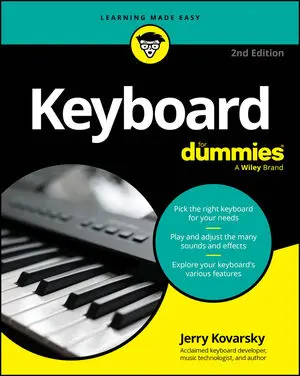
Keyboard For Dummies

Overview

Discover the keyboard that's right for you, whatever your budget!

Looking for a fun, challenging, and rewarding new instrument to play? Thinking about the piano but don't necessarily have the room or the budget to put one in your home?

Then grab a copy of the second edition of Keyboard For Dummies! In the book, acclaimed music technologist and keyboardist Jerry Kovarsky explores the wide variety of keyboards available, their sounds and features, and how to find the one that's right for you.

This book walks you through the basics of keyboard playing, from hand and finger placement, to reading music, understanding rhythm and the basics of chords and harmony. Then, take on the fundamentals of sound editing, using effects, and recording your music. You'll learn how to hook up a keyboard to your computer, iPad or smartphone using both wired and Bluetooth technologies.

Inside the book:

  • Tips for choosing the right keyboard for you and keeping it in good condition
  • Step-by-step tutorials to teach you keyboard hand placement and basic keyboard technique
  • Suggestions for playing the most common keyboard sounds
  • Playing along with rhythm patterns and auto-accompaniment
  • Help with recording and editing songs
  • Recommended online resources and example audio tracks

Whether you're a total keyboard novice or a more experienced piano player seeking to explore electronic keyboards, Keyboard For Dummies is the easy-to-read and fun guide to the instrument that you've been waiting for.

Read More

About The Author

Jerry Kovarsky is a veteran product management professional with Casio, Ensoniq and Korg, and an acclaimed music and technology author.

Sample Chapters

keyboard for dummies

CHEAT SHEET

Playing keyboards takes you on a journey that goes far beyond just playing the music. You have to keep up on a lot of tech talk and sift through a wide variety of gear and manufacturers.Common keyboard terms and abbreviations Keyboard manuals use all sorts of abbreviations and terms you may not be familiar with.

HAVE THIS BOOK?

Articles from
the book

If you're looking for inspiration from great songs but don't know what pieces highlight your particular type of keyboard, the following lists will set you on the right path. Each list presents ten songs that feature a specific type or family of keyboard. These lists aren't ranked; no one entry is better than another.
Many of the keyboards have pretty advanced features — some that you would’ve thought you needed a computer to do. Keyboards now commonly include some form of recording so that you can play and then listen back to yourself. Two forms of recording are available today: Step into the virtual recording studio Each format has its own terms, capabilities, and benefits, and musicians at every level use each of them.
Knowing a bit about the keyboard manufacturing landscape while keyboard shopping gives you an idea of all the instruments available. The following list of keyboard companies is a helpful introduction to major manufacturers; use the key to determine which type(s) of instrument each company produces. Key: A = a
Keyboard manuals use all sorts of abbreviations and terms you may not be familiar with. Understanding this common keyboard terminology can help you make the most of your electronic keyboard. Here are some common abbreviations/terms you may encounter: Action: The mechanical design of the keys themselves. Used when describing the feel or touch of a keyboard.
There are many different ways to match the right types of sounds to plays melodies to a particular style of music on your keyboard. Of course, rules are made to be broken, but here are some common practices and guidelines for matching styles and sounds. Acoustic and electric pianos: Work well for pretty much everything except heavy metal, punk rock, grunge rock, and polka (you gotta have an accordion for that!
When you unpack your new keyboard, you'll have the basic accessories you need to operate and play it. But adding other cool accessories can improve and enhance your keyboard playing experience; some accessories are more essential than others. Here are the must-haves: Keyboard stand: Only home digital pianos come with stands or legs built-in.
Many brands offer entertaining ways to allow the novice player to have fun with music. Learning to play doesn’t allow for shortcuts; that’s why a good teacher can make all the difference in whether students (of any age) stick with their lessons. Here are some of the ways that certain models add to the enjoyment of playing a keyboard.
Certain instrument and effect combinations on the keyboard are matches made in rock-and-roll heaven! Some are commonly used based on musical genre (funk and wah-wah, for example), and others are associated with specific artists. To help you get the sound you want for various songs, this is a list of the essential keyboard sounds and the effects commonly used and associated with them, often naming artists and songs as examples.
Being a beginner isn’t easy. Maybe you never took a lesson or even touched a keyboard except for using the one on your computer to send a few e-mails and post pictures of your cat. Now you want to start to play the musical keyboard for fun, so how do you choose the right keyboard for you? Perhaps you’ve bought (or inherited) a rather old, beat-up acoustic piano and have only been taking lessons for a little while.
When the time comes to settle your keyboard into its new home, you may not have a lot of location choices; if you have a small home or apartment, your options may be limited. With a little forethought on the possibilities and requirements, you can figure out where the best place in your home is for your new keyboard.
Why wouldn’t you want to share your keyboard playing with your entire house via home stereo? All home stereo systems include some form of additional input, usually labeled as an aux or auxiliary input and sometimes tape input. In a few simple steps, you can connect your keyboard to your home stereo. Home stereo audio/video gear commonly uses a different type of connector called an RCA plug.
With C as your anchor or home base on your keyboard, you can identify the rest of the notes. The basic musical language works like the beginning of the alphabet: A, B, C, D, E, F, and G. For music, things stop there and then start to repeat. Why does the musical alphabet start with C instead of A? That strategy seems to make sense at first blush, but as you learn the sound of the notes and the layout of the keyboard as it relates to scales and key signatures it just doesn’t work that way.
Playing a keyboard involves your whole body. Just wiggling your fingers about isn’t enough; you need to consider your sitting/standing position, your neck and shoulders, your arms and wrists, and even your legs and feet. Good position and posture helps you to play better and to avoid any pain that can arise from developing bad habits.
Your keyboard comes wrapped in some type of plastic bag or material and has molded foam end caps on both ends to protect it and hold it in place in the box. Be sure you have received all needed pieces and know what they are used for. What many people often miss is that some important accessory may also be located in the end of the foam insert; they just throw the foam aside or even throw it away, only to notice later that something they need is missing.
Layering or blending two sounds together creates a wonderful, rich sound on the keyboard. Think of the sound of acoustic piano blended with some warm strings; it’s the perfect sound for playing a sensitive pop ballad. Combining a pipe organ with some vocal choir sounds gives you just the right blend for praise and worship music.
Stretching works well for medium moves in hand position, but often you need to move across more than five notes all occurring in a row on the keyboard. Here are a few techniques to choose from.. Crossing a finger over When you’ve played from the pinkie to the thumb and need to continue, you have to bring a finger — the second, third, or fourth finger — over the thumb.
Your keyboard is brimming with features and cool capabilities, like any self-respecting tech product these days is. You can just turn on your keyboard and start playing, and you’ll have a great time. But these are electronic keyboards, and they do so much more than that. Some keyboards offer a small grouping of sounds; simple digital pianos may have 16 or so.
You can play a lot of music on the keyboard by using whole, half, and quarter notes. But the rhythm gets even more interesting when you have some notes that play faster than the main beat and when they occur in between the beats. Divide the beat To get the hang of playing in between full-beat notes, you need to be able to count the beat in a divided fashion.
A keyboard is a great gift for a child! When considering what keyboard to buy for a child, There are a few common scenarios to help guide your choice of purchase: For a very young child, you likely just want to offer a fun, interactive experience. The keyboard should be smaller and portable so you can store it away when the kid isn’t using it and can take it on family trips.
In order to play the keyboard, you need to be able to read music. All notes aren’t created equal. If they were, music would be very boring, with no rhythm or interest to get you tapping your toes and nodding your head — or whatever you do when the music moves you. The most basic notes are held for full counts or beats.
An instrument with drums, like your keyboard, always has a beat ready to go; you don’t have to dig through a bunch of menu options or anything special to hear them. If what you get isn’t the groove you want to play, you can explore how various keyboards present their drum rhythms. Portable keyboards Simple portable keyboards don’t always have full auto-accompaniment, but they often offer drum grooves.
Any stand you use with your keyboard probably requires some assembly. But if you’re working with a home digital piano or very large arranger keyboard that comes with a custom stand as part of the package, you should connect the instrument to a power source to make sure it’s working okay before you assemble the stand and place the keyboard on it.
Perhaps your keyboard doesn’t have onboard speakers, or you just want to enjoy some private practice time. Every electronic keyboard offers a headphone output for that purpose. (Often, if a keyboard does have onboard speakers, plugging a headphone in will automatically turn off the speakers. Smart, huh?) Break down headphone varieties You can use a number of different headphone types.
A metronome is a device that clicks in steady rhythm to help you practice your rhythm and time-keeping. Older versions were a vertical wooden case with a metal wand that swung back and forth. You had to wind them up to go. How quaint! Nowadays, you can buy electric/electronic metronomes, or even metronome apps, that have lots of advanced features.
The design, feel, and touch of the key mechanism (commonly called the key action) used on modern keyboards can vary a great deal. Understanding how key actions work and what each offers can help you differentiate among the various types of keyboards and models offered. Touch sensitivity Key actions come in two main classes: dynamic (touch-sensitive or velocity-sensitive) and non-dynamic.
Playing keyboards takes you on a journey that goes far beyond just playing the music. You have to keep up on a lot of tech talk and sift through a wide variety of gear and manufacturers.Common keyboard terms and abbreviations Keyboard manuals use all sorts of abbreviations and terms you may not be familiar with.
The key to playing the keyboard is first knowing where to find C. Look at the black key groupings and find a group of two. The white key just below/to the left of the first black key in the group is the note C. Play it. Sounds nice, right? Now go to every one of those white keys just below the group of two black keys and play them.
Long ago, the early music scholars came up with a system of lines and spaces called a staff or stave to represent notes or pitches. Each staff is a grouping of five lines and four spaces. The clef — either treble or bass — tells you what names to give those lines and spaces. Start with the treble clef (your right hand) Simplistically, you can think of the upper staff, called the treble clef, as the right hand part.
Put a few keyboard notes together and you have a chord. Basic chords (called triads) are built on three notes: the root (the name of the chord), the third, and the fifth. These names refer to the note's step location in the scale of the same name (the third note of the scale, the fifth note of the scale, and so on).
Most music uses some basic rules and structures; you can’t just play any group of notes, call it a chord, and sound good. Chords are built on specific note relationships called intervals. The smallest distance between two keys is called a half step (also called a minor second interval). Two half steps are called a whole step (also called a major second).
MIDI is a digital language developed in 1983 that allows instruments and devices to talk to each other by sending various messages back and forth. These messages include performance gestures, such as what notes you play, how you play them, whether you move any sort of controller, and so on. In 1996, the music products industry agreed on a set of standardized sounds, effects, and controller message response called General MIDI (GM) so that MIDI songs could be shared between devices and always play back sounding more or less the same.
Reverb adds space around your notes and can make your sound seem farther away, even dreamy. It’s short for reverberation, which describes the continuation of sound in a particular space after the original sound is produced and stops or decays away. Reverb produces a kind of hazy or blurred type of echo that’s very pleasing to the ear and gives a sense of the space you’re playing in.
An acoustic piano does one thing — produces piano notes as you press the keys. But, with a MIDI system attached to a digital or hybrid keyboard, you can connect to and communicate with other keyboards, your computer, or other digital equipment and produce a vast array of piano sounds and non-piano sounds. MIDI (musical instrument digital interface, if you were wondering), pronounced mid-ee, can change your musical life.
The acoustic piano is a highly evolved, complex mechanical thing that is beloved in every culture. As good as digital keyboard equivalents have become, a few aspects of the originals remain out of reach: Multiple key strikes/restrikes: When you play a key repeatedly on an acoustic piano, the previous note doesn’t stop ringing, and the vibrating string doesn’t come to a complete halt between strikes.
https://cdn.prod.website-files.com/6630d85d73068bc09c7c436c/69195ee32d5c606051d9f433_4.%20All%20For%20You.mp3

Frequently Asked Questions

No items found.


