


Canon EOS Rebel T5/1200D For Dummies Cheat Sheet


Your Canon T5/1200D has so many features that it can be difficult to remember what each control does. To help you sort things out, study this handy reference to your Canon camera's external controls and exposure modes. Print out this guide, tuck it in your camera bag, and get a head start on taking great photographs!
The Canon EOS Rebel T5/1200D camera layout
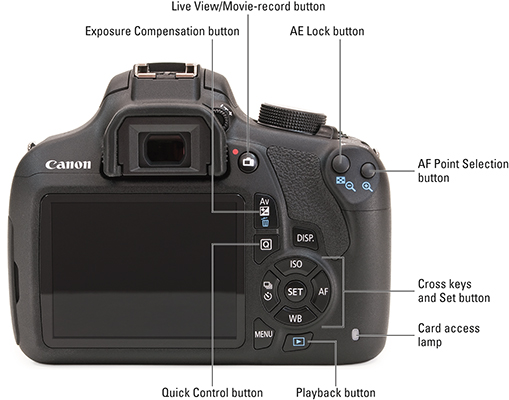
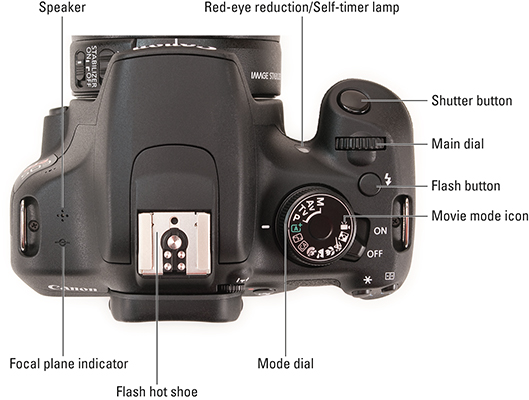
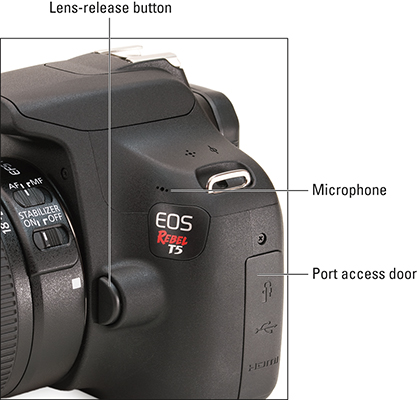
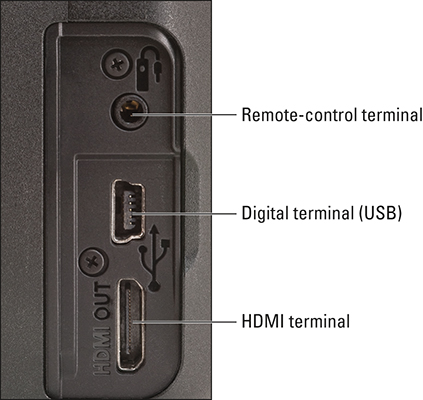
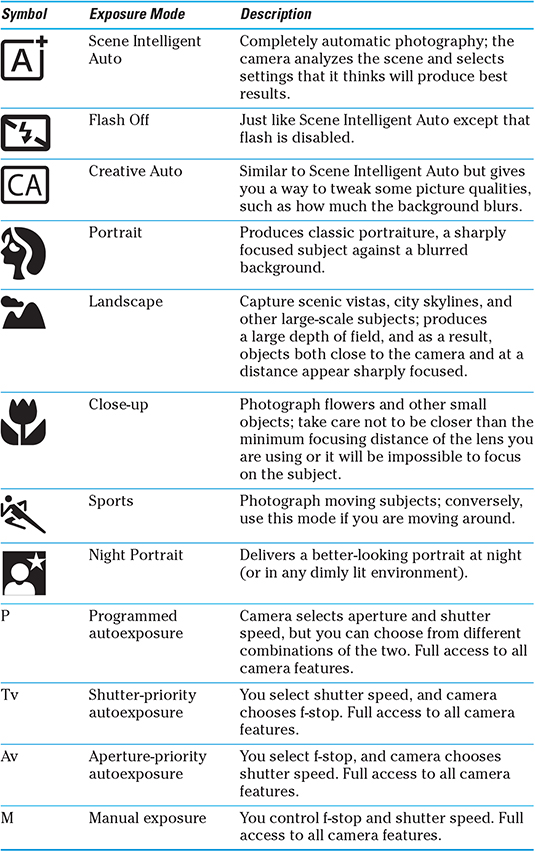
Exposure mode quick guide for your Canon EOS Rebel T5/1200D
Your Canon EOS Rebel T5/1200D camera offers the following exposure modes, which you select via the Mode dial on top of the camera. The shooting mode determines how much control you have over exposure, ISO, and aperture. (Modes described as automatic scene modes in the table offer fully automatic photography, but some let you alter color and exposure slightly through the Shoot by Ambience and Shoot by Lighting or Scene Type features.)
About This Article
This article can be found in the category:
Hot off the press
Explore Related content


got more questions?

