
Your digital camera probably has a slot for a memory card, which can store the digital photos you take. Because a memory card is removable, you can replace it with a different, empty memory card or put it in another device.
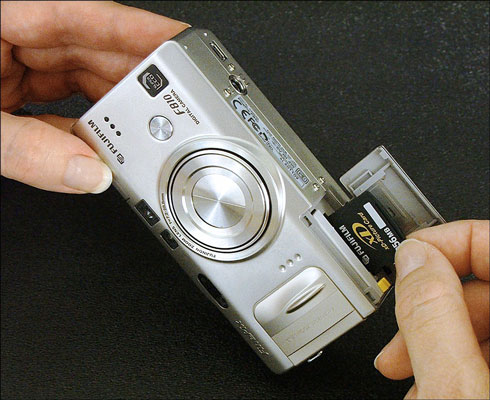
A few cameras have built-in memory (if you want to be hip, call it on-board memory). But most cameras now rely on removable memory cards. You can see how a memory card fits into a camera in this figure.
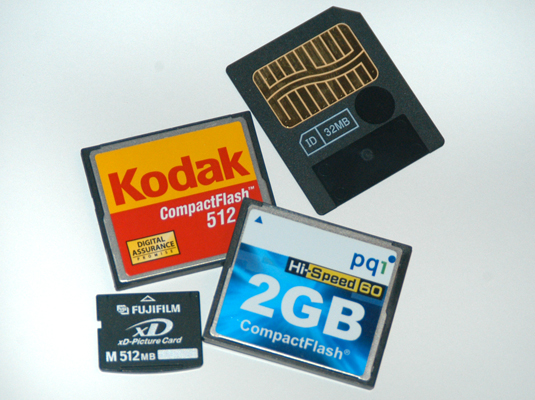
This figure shows some common types of removable camera memory. Your camera’s documentation should tell you what kind of memory card it needs.
By using memory cards, downloading images is painless. You can buy a card reader or adapter that enables your computer to see the memory card as simply another drive on your computer. When you want to download your images, just take the card out of the camera, pop it into the reader or adapter, and move the files to the computer in the same way you move files from a CD.