

 Main Menu
Book & Article Categories
- Main Menu
Book & Article Categories
- Main Menu
Collections
Explore all collections
Articles & Books From MacOS
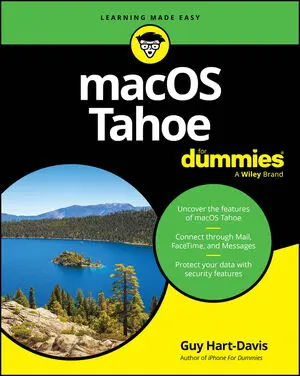
Get up to speed on the latest macOS updates and features macOS Tahoe For Dummies is your up-to-date guide to the operating system that brings your Mac computer to life. Experienced macOS expert and educator Guy Hart-Davis walks you through a comprehensive set of instructions for navigating your Mac's features and capabilities.

Learn the ins and outs of macOS with the top-selling Dummies guide macOS 2025 For Dummies is here to help you get acquainted with the operating system that makes your Mac computer go. Get easy-to-follow instructions for doing everything you need and taking advantage of the hottest features. If you've just jumped on the Mac bandwagon, veteran macOS writer Guy Hart-Davis shows you how to get started with Desktop and Finder.

Make friends with macOS Sonoma thanks to simple, Dummies-style instructionsmacOS Sonoma For Dummies is the go-to guide for finding your way around Apple’s laptop and desktop operating system. For first-time Mac owners and longtime Apple aficionados alike, this book covers the essentials you need to navigate macOS Sonoma with ease.
Cheat Sheet / Updated 11-01-2023
So, you’re using a Mac running macOS Sonoma? Good job! This Cheat Sheet gives you a handy reference of keyboard shortcuts that can save you time, teaches you how to navigate the "Save As" dialog using the Tab key, explains a straightforward protocol for backups, tells you how to burn CDs from the Music app, and warns you about six moves to avoid at all costs.
Cheat Sheet / Updated 05-08-2023
Whether you’ve purchased a new Mac with macOS Ventura pre-installed or you’ve upgraded from a previous version of macOS, you’ll find that Ventura makes your computer easier to use and offers myriad improvements to make you more productive.This Cheat Sheet includes information on things you should never do to your Mac; a compendium of useful and timesaving keyboard shortcuts; recommendations for backing up data; and website recommendations for smart Ventura users.

Learn the ins and outs of macOS Ventura macOS Ventura For Dummies is packed with all the information you need on this latest version of macOS. With expert tips, tricks, and troubleshooting ideas, it’s the trusted guide for those new to Mac computers and those upgrading their systems. Learn how to organize your files, ensure that your data is secure, work more efficiently, and take advantage of the newest features.
Cheat Sheet / Updated 11-15-2022
Whether you’ve purchased a new Mac with macOS Monterey pre-installed or you’ve upgraded from a previous version of macOS, you’ll find that Monterey makes your Mac easier to use and offers myriad improvements to make you more productive.This Cheat Sheet includes information on things you should never do to your Mac; a compendium of useful and timesaving keyboard shortcuts; a discussion of when folders are too full and when (and when not) to create subfolders; recommendations for backing up data; and a short discussion of iDevices and Continuity.
Cheat Sheet / Updated 04-05-2022
Whether you've purchased a new Mac with macOS High Sierra preinstalled or you've upgraded from a previous version of macOS, you'll find that macOS High Sierra makes your Mac easier to use and offers myriad improvements to make you more productive. Get additional information on things you should never do to your Mac, a compendium of useful and timesaving keyboard shortcuts, a discussion of when folders are too full and when (and when not) to create subfolders, recommendations for backing up data, and a short discussion of iDevices and Continuity.
Cheat Sheet / Updated 02-25-2022
Whether you’ve purchased a new Mac with macOS Catalina pre-installed or you’ve upgraded from a previous version of macOS, you’ll find that Catalina makes your Mac easier to use and offers myriad improvements to make you more productive.Get additional information on things you should never do to your Mac, a list of useful and timesaving keyboard shortcuts, a discussion of when folders are too full and when (and when not) to create subfolders, recommendations for backing up data, and a short discussion of Apple devices and continuity between them.

Unlock the potential of macOS Monterey with this updated guide from "Dr. Mac" himselfMacs are famously an absolute pleasure to use. But it's even more fun discovering all the cool things a new version of macOS can do. macOS Monterey, introduced in 2021, makes the latest macOS features available to Mac users everywhere.

