

Everyone wants to know what the hot ticket is on the eBay site. They want to know what’s selling best so that they can run out, buy it, and make big money on eBay. Whoa, there, big fella.
Nobody has or can give you secret information that magically transforms you from a garage seller to a warehouse tycoon overnight. You get there by studying the market and finding out what works and what doesn’t. There are no shortcuts. That said, here’s where you can find information on what’s hot or what’s going to be hot on the site.
The home page
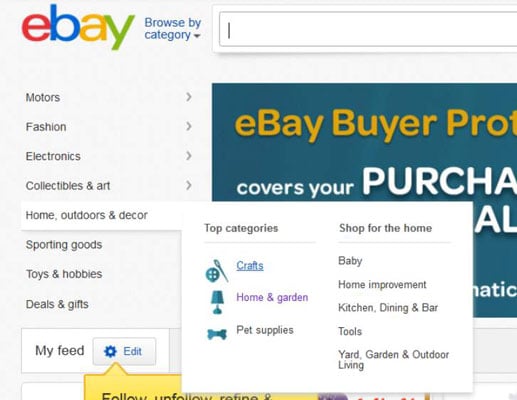
New shoppers to the site generally enter from the home page. In case you haven’t noticed, eBay suggests categories on a flyout menu on the home page. By clicking the top-level categories on those menus, you can see the hottest categories within each area.
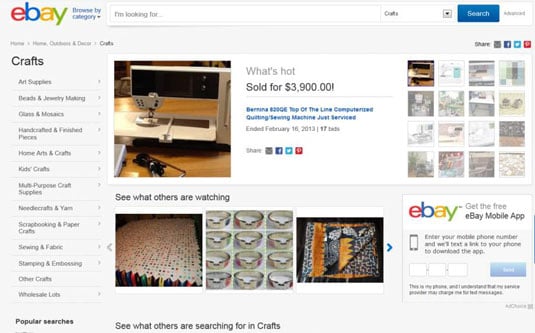
Arriving in the Crafts category, you’ll see some top-selling items. Now wouldn’t you be the smart one if you were to list items that coincided with the top-selling items on the site? You bet!
Marketplace Research by Terapeak
Terapeak is an application that evaluates eBay item sales on an ongoing basis. Visit the eBay Marketplace Research page or visit Terapeak’s website.
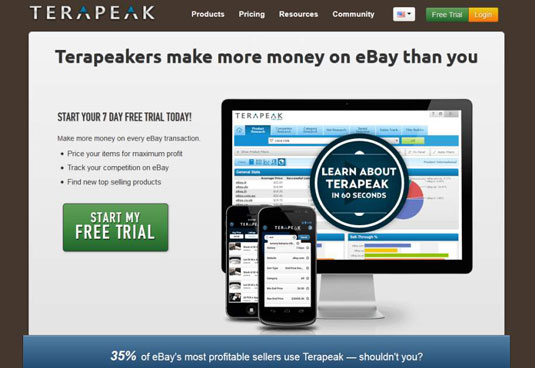
On the Terapeak website, eBay sellers can access up to 365 days of eBay data on completed listings. By doing so, you can get a firm grip on the demand for items you're planning to sell — with charts trending the average bids per item, number of completed items, and more. You also have access to the top searches to see what buyers are searching for.
There’s much more data available these days since eBay partnered with Terapeak. This company developed an eBay toolset that can really dig deep and do research for you. You’ll be amazed at the data you see — especially when you’ve narrowed down the items you’re interested in selling. Too much research can cause your eyes to glaze over and make you see funny spots in front of your face.
All this excellent data isn’t free — but you can get a seven-day free trial.
For $49.95 a month or a discounted annual subscription at $239.40 ($19.95 a month), you can really go to town and access huge amounts of historic data for all eBay sites. Why not at least give it a try for a month? Research a bunch of items, and think about what you will sell next. You can always sign up again later if it works for you.
By consulting Terapeak’s data, you can dip your toe in first and save some of your hard-to-come-by cash for actually buying the merchandise you’re going to sell.