
What happens if you install and activate a WordPress plugin and then at some point decide that it just isn’t what you want? Don’t worry — you aren’t stuck forever with a plugin that you don’t want. WordPress lets you be fickle and finicky in your plugin choices!
To uninstall a plugin from your WordPress blog, follow these steps:
Click the Installed Plugins link on the Plugins menu.
The Plugins page opens.
Locate the plugin you want to uninstall.
Click the Deactivate link below the plugin title.
The Plugins page refreshes, and the plugin now appears as deactivated (or inactive).
Click the Delete link that now appears below the plugin title.
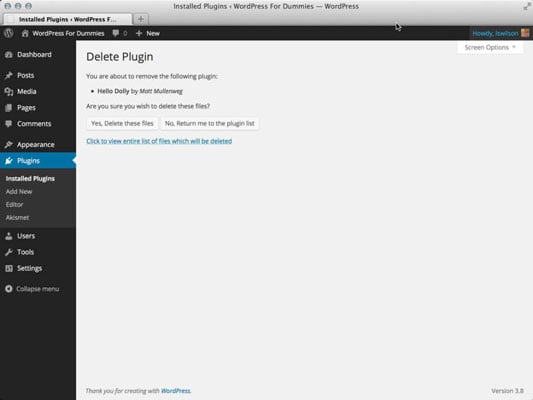
The Delete Plugin page opens, and a confirmation message displays asking you whether you’re sure you want to delete this plugin.
Click the Yes, Delete These Files button.
The Plugins page refreshes, and the plugin you just deleted is gone from the lists of plugins, with a message displayed at the top confirming the deletion of the plugin.
Bang! You’re done. That’s all it takes.
Don’t forget to remove any bits of code that you may have added to your theme templates for that particular plugin; otherwise, it may cause ugly error messages to appear in your blog.