


Save customization to any Excel 2013 templates you download to make the workbooks you create from them easier to use and quicker to fill out. For example, you can make your own custom Quarterly Sales Report template from one generated by the downloaded template by filling in your company name and address in the top section and your billing terms and a thank-you message in the bottom sections.
To save your changes to a downloaded template as a new template file, follow these steps:
Click the Save button on the Quick Access toolbar (the one with the disk icon), or choose File→Save from the File menu button, or press Ctrl+S.
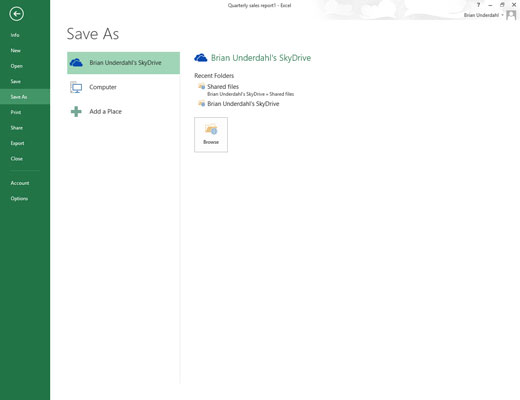
The Save As screen opens where you select the location where the customized template file is to be saved.
Select the drive and folder where you store all your personal template files in the Save As screen.
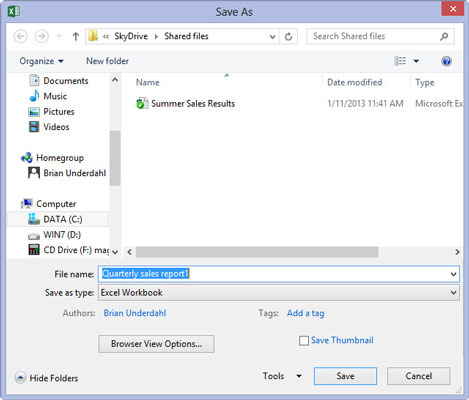
This personal templates folder can be local on your SkyDrive. However, you need to mark its location (because later on you need to enter its pathname in the Excel Options dialog box), and you need to designate it as the place in which to save all personal templates you create in the future.
As soon as you select the folder and drive in which to save your template, Excel opens the Save As dialog box, where you need to change the file type from a regular Microsoft Excel Workbook to a Template in the Save as Type drop-down list box.
Click the Save as Type drop-down button and then select Excel Template from the drop-down list.
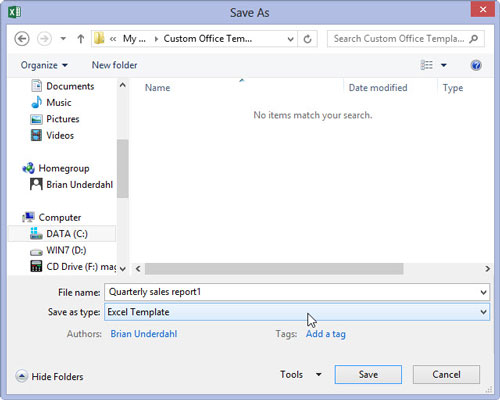
If you need your new template file to be compatible with earlier versions of Excel (versions 97 through 2003), select Excel 97-2003 Template rather than Excel Template from the Save as Type drop-down list. When you do this, Excel saves the new template file in the older binary file format (rather than the new XML file format) with the old .xlt filename extension instead of the new .xltx filename extension.
If your template contains macros that you want the user to be able to run when creating the worksheet, select Excel Macro-Enabled Template.
Click in the File Name text box and then modify the default filename as needed before you select the Save button to close the Save As dialog box and save your customized template in the Templates folder.
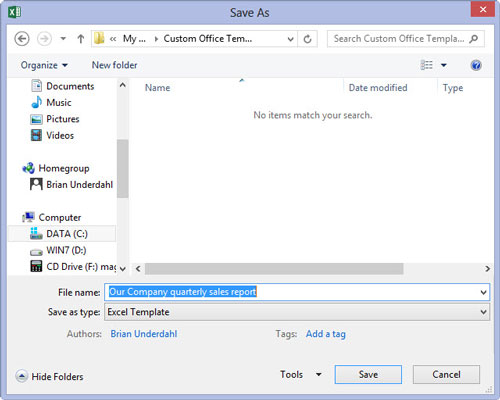
After the Save As dialog box closes, you still need to close the customized template file in the Excel work area.
Choose File→Close, or press Alt+FC, or press Ctrl+W to close the customized template file.
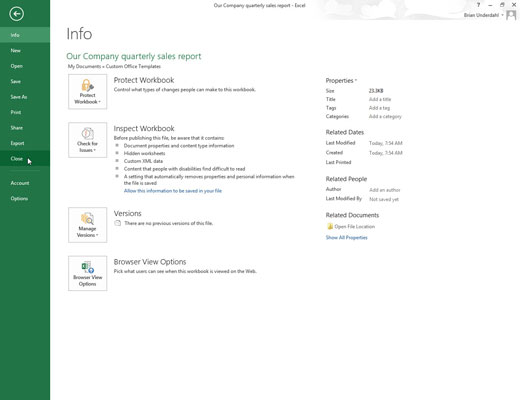
After saving an initial customized template file in your personal template folder, you need to tell Excel about this folder and where it is.
Choose File→Options→Save (Alt+FTS).

Excel opens the Excel Options dialog box and selects the Save tab.
Click the Default Personal Templates Location text box and enter the complete filename path for the folder where you saved your initial personal template file.
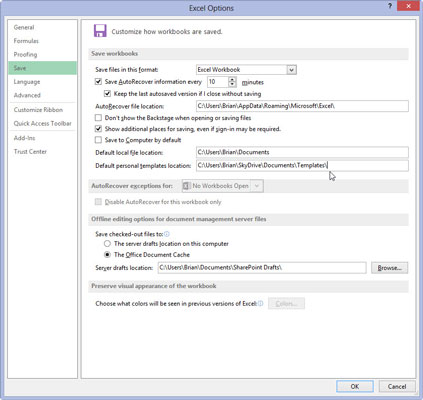
For example, if you created a Templates folder within the Documents folder on your SkyDrive where you save all your personal Excel template files, you would enter the following pathname in the Default Personal Templates Location text box: C:UsersNameSkyDriveDocumentsTemplates.
Click OK to close the Excel Options dialog box.
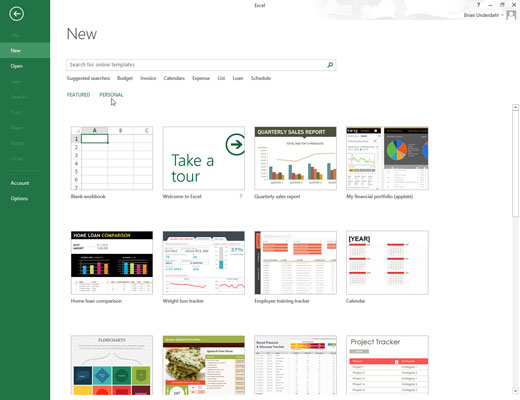
The next time you open the Excel or New screen in the Excel Backstage, two links, Featured and Personal, now appear under the Suggested Searches headings.
To generate a new workbook from one of your custom spreadsheet templates, you click the Personal link to display thumbnails for all the templates saved in the designated personal templates folder.


