Suppose you run across a problem while using Etsy. For example, perhaps you’ve stumbled across an item that shouldn’t be sold on the site (in other words, it isn’t handmade, vintage, or a craft supply). If so, you can report it.
To report an item listing or shop that appears to be in violation of Etsy’s policies, click the Report This Item to Etsy link (at the bottom of the listing page) or the Report This Shop to Etsy link. A dialog box appears, asking you to specify why you’re reporting the listing or shop; click the appropriate option button, add any pertinent comments, and click Submit Report.
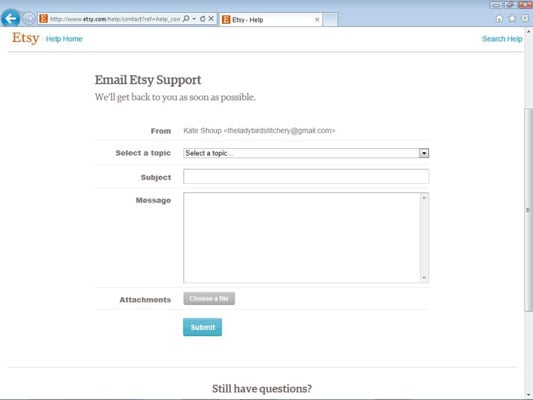
To report something else — say, a sketchy or harassing convo — contact Etsy Support. To do so, follow these steps:
While logged in to your Etsy account, click the Help link that appears along the top of any Etsy page.
The How Can We Help You? page opens.
Scroll to the bottom of the page and click the Email Us link.
The Email Etsy Support page opens.
Click the Select a Topic drop-down arrow.
The Select a Topic drop-down list opens.
Choose the option that relates most closely to the issue you want to report.
Type a subject for your message.
Type your message.
Click Submit.
Etsy notifies you that your report has been submitted; it also sends you a confirmation e-mail.