
When you find an app on the iTunes Store that you’d like to try, just click its Get App button. At that point, you have to log in to your iTunes Store account, even if the app is free.
After you’ve logged in, the app begins downloading. When it’s finished, the app appears in the Applications section of your iTunes Library.
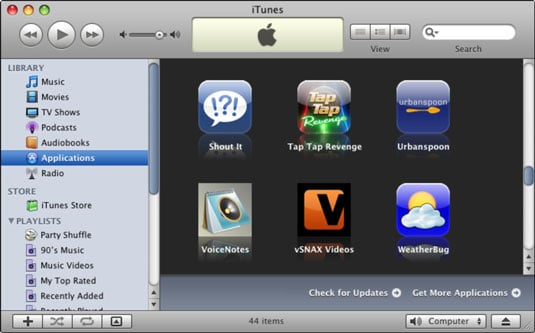
Apps you’ve downloaded appear in the Applications section of your iTunes Library.
Remember that downloading an app to your iTunes Library is only the first half of getting it onto your iPhone. After you download an app, you have to sync your iPhone before the app will be available on it.